Persistent Block Storage (Cinder & Ceph)
Okustera Persistent Block Storage is powered by OpenStack Cinder backed by a distributed, high-performance Ceph NVMe storage cluster.
It delivers persistent, low-latency, multi-attach block volumes for Nova virtual machines and Kubernetes stateful workloads via dynamic Container Storage Interface (CSI) drivers.
Architectural Highlights
- NVMe Distributed Fabric: Enterprise flash storage with automated 3x replica distribution across physical failure domains.
- Online Volume Expansion: Increase storage capacity on live, mounted volumes without requiring VM reboots, downtime, or filesystem detachment.
- Point-in-Time Volume Snapshots: Instantaneous, copy-on-write snapshots for rapid backup, disaster recovery, and testing clones.
- Bootable Volumes: Create bootable persistent volumes from images to preserve instance root state even when VMs are destroyed and recreated.
- Native Kubernetes CSI (
ceph-rbd/block-rbd1): Dynamic provisioning of KubernetesPersistentVolumeClaims(PVCs) that automatically migrate and reattach across worker nodes during node upgrades.
Storage Classes & Performance Tiers
| Volume Type / StorageClass | Backing Media | Performance Profile | Recommended Workloads |
|---|---|---|---|
ceph-nvme / ceph-rbd | Ceph NVMe All-Flash | High IOPS, sub-millisecond latency | Production databases (PostgreSQL, MySQL, Valkey), transactional caches |
rbd1 / block-rbd1 | Ceph Balanced Pool | Standard IOPS, high throughput | General backend application volumes, stateful worker pods, CI/CD runners |
Managing Block Storage in the Cloud Portal
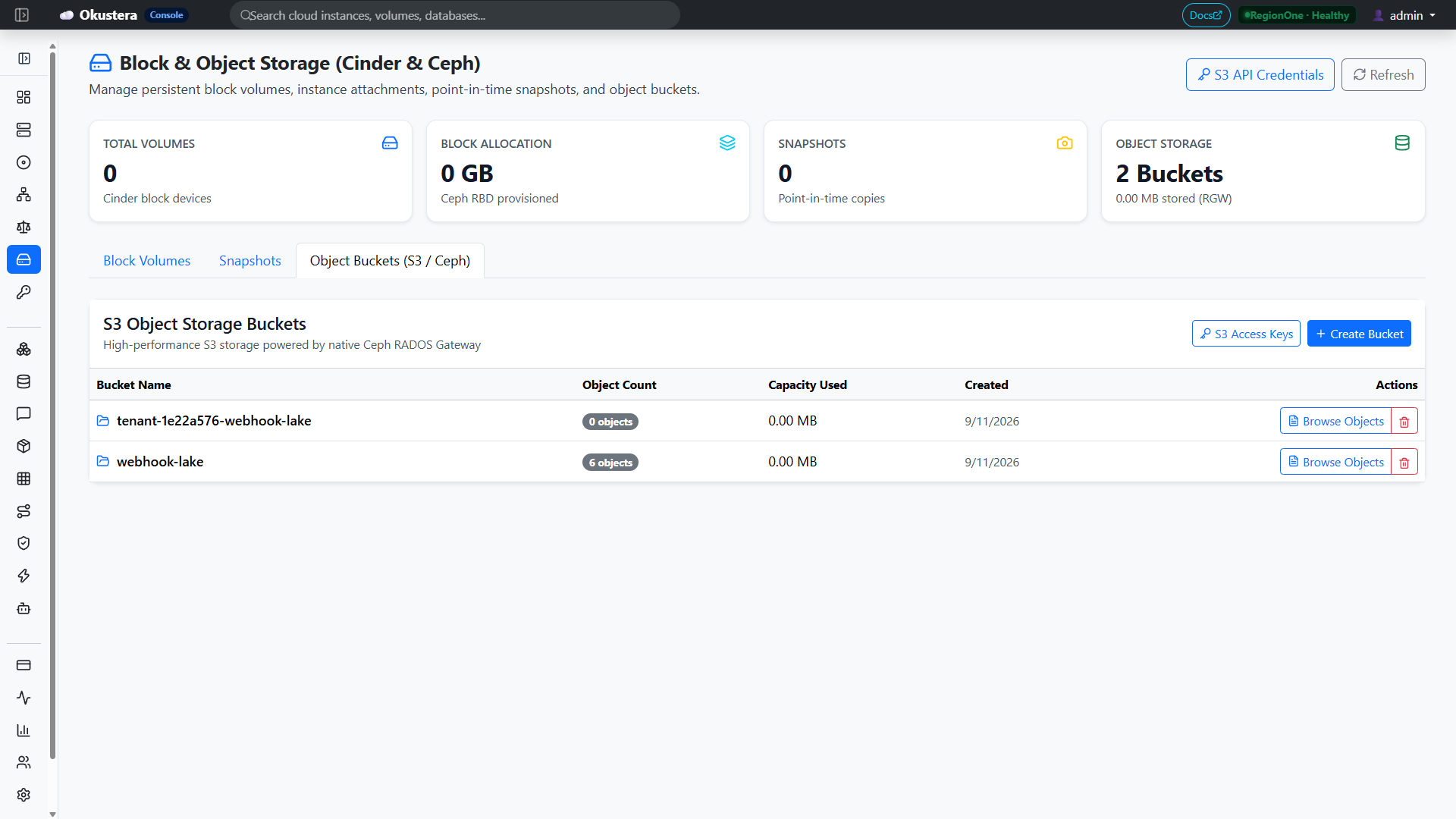
The Okustera Cloud Portal (/storage) provides visual volume management:
1. Creating a Persistent Volume
- Navigate to Storage $\to$ Volumes in the left sidebar.
- Click Create Volume:
- Volume Name:
db-data-volume - Size (GB): e.g.
100 - Volume Type: Select
ceph-nvme(high performance) orrbd1(standard). - Source:
- Empty Volume: Format as fresh block storage.
- From Image: Create a bootable volume pre-loaded with an OS image.
- From Snapshot: Clone an existing point-in-time snapshot into a new independent volume.
- Volume Name:
- Click Create. The volume transitions to
available.
2. Attaching a Volume to a Compute Instance
- In the Volumes list, locate your volume and click Attach to Instance.
- Select your running compute instance (e.g.
web-server-01). - The volume attaches as a block device (e.g.
/dev/vdbor/dev/sdb) in under 2 seconds. - SSH into your VM to format and mount:
# Format filesystem (first-time only)sudo mkfs.ext4 /dev/vdb# Mount to mountpointsudo mkdir -p /mnt/datasudo mount /dev/vdb /mnt/data
3. Taking a Volume Snapshot
- In the Volumes list, click Create Snapshot.
- Name the snapshot (e.g.
db-data-snap-pre-upgrade). - Copy-on-write snapshots complete instantaneously without pausing writes.
4. Online Volume Expansion (Live Resize)
To expand an attached volume that is running out of space:
- In the portal, click Extend Volume on your volume.
- Enter the new target size (e.g. from
100 GBto200 GB). - Click Confirm. Cinder expands the Ceph RBD image immediately.
- On the running VM, expand the filesystem without unmounting:
sudo resize2fs /dev/vdb
Declarative Management via Terraform
# 1. Create a 100 GB persistent block volume
resource "okustera_storage_volume" "database_data" {
  name        = "db-data-volume"
  size        = 100
  volume_type = "rbd1"
  description = "Production database data volume"
}

# 2. Attach volume to a Nova compute instance
resource "okustera_storage_volume_attachment" "db_attach" {
  instance_id = okustera_compute_instance.web_server.id
  volume_id   = okustera_storage_volume.database_data.id
}

# 3. Create a point-in-time snapshot
resource "okustera_storage_snapshot" "db_snapshot" {
  name        = "db-data-snapshot-weekly"
  volume_id   = okustera_storage_volume.database_data.id
  description = "Automated weekly snapshot"
}
Kubernetes PersistentVolumeClaim (PVC)
When running stateful applications on Managed Kubernetes, request dynamic block volumes using standard Kubernetes manifests:
apiVersion: v1
kind: PersistentVolumeClaim
metadata:
  name: pg-data-pvc
  namespace: default
spec:
  accessModes:
    - ReadWriteOnce
  storageClassName: ceph-rbd
  resources:
    requests:
      storage: 50Gi
The Cinder CSI driver automatically provisions the volume in Ceph and attaches it to the appropriate Kubernetes worker node.
REST API Reference
GET /api/v1/storage/volumes— List volumes in current tenant project.POST /api/v1/storage/volumes— Provision a new volume.GET /api/v1/storage/volumes/{id}— Retrieve volume status, size, and attachments.DELETE /api/v1/storage/volumes/{id}— Delete an available volume.POST /api/v1/storage/volumes/{id}/attach— Attach volume to an instance.POST /api/v1/storage/volumes/{id}/detach— Detach volume from an instance.GET /api/v1/storage/snapshots— List point-in-time volume snapshots.POST /api/v1/storage/snapshots— Create a snapshot from an existing volume.